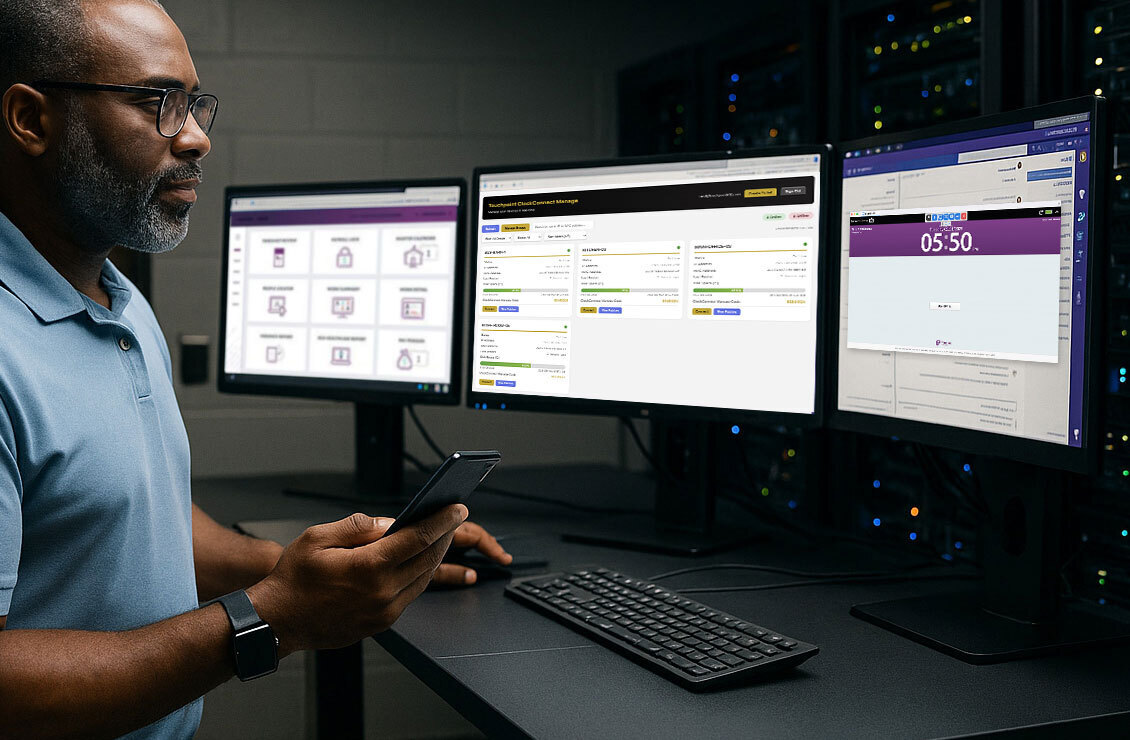
Remote Monitoring, Management, and Punch Assurance
ClockConnect
The ClockConnect system gives district Payroll, Business, HR, and IT teams the visibility, control, and punch recordkeeping they need to manage SmartClock-based time collection with confidence.
See SmartClock status across every location. Handle common device tasks remotely. Access auditable punch attempt history when time records are questioned.
Choose the ClockConnect functionality your district needs.
ClockConnect is built for districts that need more than clocks on the wall. It gives your team a stronger way to monitor device readiness, manage common SmartClock tasks, and defend employee punch activity when payroll questions, outages, audits, or disputes arise.
01Visibility Layer
ClockConnect Monitor
District-wide SmartClock visibility for health, updates, disk space, and readiness across every location. Monitor helps your team catch small issues before they become payroll problems.
Key Benefits
See SmartClock status across all locations in one place.
Track updates, health, and disk space before they create disruption.
Reduce "quick check" tickets and time spent troubleshooting blind.
Give IT, Payroll, and district leaders more confidence that clocks are ready.
Pair with White Glove Service & Support for stronger SmartClock visibility.
02Action Layer
ClockConnect Manage
Everything in Monitor, plus full remote access to manage common SmartClock tasks without opening a ticket or visiting the device. Manage helps your team move from "something is wrong" to "we fixed it" faster.
Key Benefits
Everything included in ClockConnect Monitor.
Do the work remotely, not just the watching.
Manage updates, disk space cleanup, biometric registrations, and other common tasks.
Cut delays, site visits, and back-and-forth with support.
Resolve SmartClock issues more consistently across schools.
Pair with White Glove Service & Support for stronger SmartClock control.
New03Accountability Layer
ClockConnect Assurance
Auditable punch attempt history for enabled Touchpoint SmartClocks, including failed or unsuccessful punch attempts your time and attendance system may not report on.
When a time record is missing, edited, disputed, or incomplete, Assurance helps Payroll, HR, Finance, and audit teams answer the question that matters most: what actually happened at the clock?
Key Benefits
Access exact, time-stamped punch attempt history from enabled Touchpoint SmartClocks.
See failed or unsuccessful punch attempts that may not appear in Time & Attendance.
Validate missed punch requests after software, internet, power, or server outages.
Support payroll corrections with objective clock-level evidence.
Compare clock-level punch attempts against edited or disputed time records.
Strengthen audit readiness, overtime defensibility, and employee dispute resolution.
Help Payroll, HR, and Finance reduce "he said, she said" timekeeping conversations.
The Full ClockConnect System
Why Districts Need the Full ClockConnect System
Time collection problems rarely stay in one department. A clock-in issue may start as an IT ticket, but it can quickly become a Payroll exception, an HR complaint, a Finance concern, or a leadership problem.
ClockConnect gives each team what it needs: visibility, control, and punch assurance.
For Payroll
ClockConnect helps Payroll reduce missed punch cleanup, validate outage-related corrections, and see whether employees attempted to punch even when Time & Attendance does not show a successful record. It gives Payroll more confidence before deadlines, during overtime review, and when employee time records are questioned.
For Business and Finance
ClockConnect helps Business and Finance reduce the hidden costs of SmartClock maintenance while strengthening payroll defensibility. With better device visibility, remote management, and auditable punch attempt history, districts can better support audits, overtime validation, disputed records, and leadership review.
For HR
ClockConnect helps HR bring clearer evidence into employee timekeeping conversations. When staff say they attempted to punch, ClockConnect Assurance helps show what happened at the clock, while Monitor and Manage help reduce the device issues that create frustration in the first place.
For IT
ClockConnect helps IT reduce site visits, low-value tickets, and blind troubleshooting. Monitor shows SmartClock status across locations. Manage enables remote action for common device tasks. Assurance helps IT support Payroll and HR when punch issues need clearer answers.
Better Together
ClockConnect + White Glove Service & Support
Touchpoint's White Glove Service & Support provides comprehensive, proactive customer service for Touchpoint clients.
ClockConnect gives district teams instant visibility, remote control, and punch assurance without needing to submit tickets for minor questions, simple checks, or routine device tasks.
Together, they create a stronger SmartClock support model
White GloveHelps keep Touchpoint-supported SmartClocks maintained and supported.
MonitorGives districts direct visibility into SmartClock readiness.
ManageGives districts remote action when common tasks need attention.
AssuranceGives districts auditable punch attempt records when employee time is questioned.
Interested in better visibility, control, and punch assurance for your Touchpoint SmartClocks?
Add ClockConnect as an annual subscription add-on for SmartClocks and give your district a stronger way to monitor device readiness, manage SmartClock tasks remotely, and defend employee punch activity when time records are questioned.